Created By:
Gloria D. Brogdon
Video Assignment
My dissertation project is to create Interdisciplinary Digital Curriculum, using a full range of technologies to facilitate all class subjects, from audio production to virtual reality, and beyond. This type of constructivist learning is limitless.
Who Am I? – Video Autobiography
The first project is the creation of a video autobiography. I start with this because each student is an expert on themselves and their family. There are several things this type of video production achieves.
Some of these are:
• Allows the student to talk to family members at length to gather stories about the family history. Their past, present and future;
• Students become familiar with historical facts and events based on the older generation’s life experience;
• Creates a bound between the parents and the child;
• Allows parents, grandparents and extended family members to become actively involved in the child’s’ education.
• The understanding of storytelling. Thus creating a sense of belonging and an understanding of the larger community each child lives in.
Subject: History/English/Social Studies
Who Am I? – Video Autobiography
Objective:
To enable students to:
1. become acquainted with the process of video storytelling,
2. build interviewing skills,
3. understand their extended family makeup,
4. understand the importance of documenting their family history for future generations.
5. Build writing skills - Scriptwriting
6. Team building skills
Resources & Materials:
iMovie Family Photos
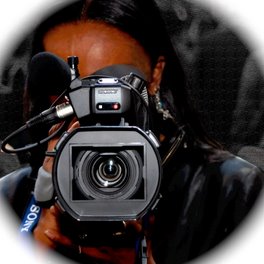
Tripod Video Camera
Microphones
Focus:
This unit is intended to orientate students of the basic parts and operation of the camera, As well as create a video for future generations.
Teaching Activities:
Each Student will need to bring in 5 to 15 family photos.
Photos should inclued but not limited to:
• Their baby photos
• Family photos (parents as teenagers of children, siblkings, grandparents))
• Photos of family events (graduations of siblings, family gatherings,
1. Each student will create a 3 to 5 minute video.
2. Each student will learn the correct way to use the camera by hands on instruction.
3. Each Student will learn the vocabulary needed to understand the equipment being used.
4. Each student will learn the correct way to use the camera by hands on instruction.
Vocabulary
Digital Video Camera
Fader
Postproduction
Editing
Lens
Viewfinder
Practice & Closure:
The class will engage in group discussions and projects. The class will critique the projects and discuss ideas for improvement.
Showing posts with label Education. Show all posts
Showing posts with label Education. Show all posts
Thursday, May 29, 2008


Visualizing Education
Charter School Proposal
Gloria D. Brogdon
Langston University
2000
Gloria D. Brogdon
Langston University
2000
If I had the opportunity to establish a new charter school, it would be patterned after the school I have been designing for the past three years, F. D, Moon Academy of Mass Media and Communication Technology.
As one of three mass media professionals, our job is to design a middle school integrating the core curriculum with mass media and communication technology.
My area of expertise is television/video production, print media , advertising, and public relations.
Some of my duties are to continue to develop and upgrade integrated core curriculum base on the Oklahoma Pass Objectives with mass media, instruct classes in television/video production, resource with core teachers to integrate their lesson plans with mass media, conduct mass media workshops, and visit elementary schools to recruit future students.
Here is a brief outline of the emphasis and operation my charter school.
Purpose
In this technological era, most children have been exposed to technology since birth. This exposure has created a generation of children who require a different mode of learning and disseminating information. Because of the rapid pace they receive information, many of them have difficulty handling the traditional classroom setting. By using technology, which delivers information at their pace, as a learning tool, students are capable of understanding and learning the required material to succeed in life. It also gives them a upper hand in the familiarity in the area of technology as they move into the job market.
School Mission
We are committed to seeing each child as an individual, with individual learning styles, and using mass media as a tool to facilitate core learning at each students’ learning pace.
Operations
1. Each student is required to apply to attend.
2. Acceptance is based on desire to attend this type of school and GPA (2.0).
3. Parents will sign a contract agreeing to actively participate in their child's education.
4. Teachers will sign a contract agreeing to adhere to the format of this type of curriculum, 40 hours of staff development per year, and participate in the ongoing development of the school.
5. Students are required to take leadership in their educational process, by giving input into the curriculum.
6. Develop community business partnerships to assist in supporting our school.
7. Target recruitment market: elementary school 5th graders.
8. Recruitment activities are done by visiting each elementary school in the area, setting up recruitment booths in local malls on weekends, and conducting an annual recruitment fair
9. Distributing student produced school brochures at area libraries, and businesses (see attachment).
Three Year Developmental Time Line
Year One
1. Develop and write integrated curriculum for core courses (Math, Science, Language Arts, Social studies), based on the Oklahoma Pass Objectives.
2. Design the television and radio studios and requisition equipment for these studios.
3. Have studios built, and up and running by school opening in August.
4. Conduct first 40 hours of staff training.
5. Develop and implement a recruitment plan unique to our program.
6. Prepare and submit requisitions for second round of funds.
7. Make professional contact from the industry.
Year Two
1. Submitted requisition for Macintosh computers for Print lab.
2. Order Dell computers for the Communication Technology lab.
3. Conduct second 40 hours of staff training
4. Continue developing and updating curriculum.
5. Resource with Core teachers to integrate curriculum.
6. Prepare and submit requisitions for the third year of school
7. Continue to expand professional network.
8. Continue implementation of recruitment plan unique to our program.
Year Three
1. Develop Photographic Darkroom.
2. Develop Distance Learning Lab.
3. Develop Career Center and Resource Library
4. Continue to resource with Core teachers.
5. Conduct third 40 hours of staff training.
6. Continue developing and updating integrated curriculum.
7. Integrate theme into elective classes.
8. Continue implementation of recruitment plan unique to our program.
Curriculum
The curriculum is based on educating students using mass media and communication as a tool.
Students will take classes in:
1. Multimedia Presentation & Wedsite Design
2. Television/Video Production
3. Print Media/Photography
4. Radio Production
They will use their expertise in these areas to facilitate their core courses.
Sample Integrated Curriculum
(A) Integrated Priority Academic Student Skills Grades 6-8 READING
Reading Process
I. Reading process: Students will apply a wide range of strategies to comprehend, interpret, evaluate and appreciate texts.
A. Vocabulary: Knowledge of words and word meanings.
The student will:
1. recognize, understand and be able to apply the terms used in
a) print,
b) advertising,
c) radio,
d) television.
B. Comprehension: Ability to interact with the words and concepts to understand what the writer has to say.
The students will:
1. read newspapers and magazines, scripts appropriately designed for grade level;
2. determine the purpose for these specific text;
3. analyze and discuss and interpret what the writer is saying based on personal experience, and
4. read the history and development of American mass media.
C. Fluency: Ability to identify words rapidly so that the attention is directed at the meaning of the text.
The students will:
1. Read radio commercials, television/movie scripts with expression, feeling and characterization.
Writing and Responding to Text
The student will:
A. Use the writing process for scriptwriting, journalistic writing, and business writing to
develop and refine writing skills.
1. Participate in prewriting activities such as brainstorming, note taking, research, and
free writing.
2. Read television and movie scripts for understanding of plot, setting, theme, characterization, conflict and resolution.
3. Analyze the characters of these scripts.
4. Write scripts using the techniques developed.
5. Read and write newspaper articles in the same manner as the scripts.
6. Write radio shows for production.
7. Write resumes, simple proposals,
Information and Research
A. Students read widely to acquire knowledge, conduct research, and organize information.
The student will:
1. Use the internet to help to define and research topic by browsing sites which pertains to the area of study.
2. Create notes, and site sources on the computer of the information found.
3. Create computer generated graphs, charts, maps; etc.
4. Create power point presentation of research information.
5. Create brochures using the research information.
Effective Reading Habits
A. Students demonstrate the behaviors, habits, and attitudes of an effective reader.
The student will:
1. Share and discuss daily news and magazine articles in small groups. after which they will come back to the larger group for discuss.
2. Read for understand, information and interpretation.
Grammar/Usage and Mechanics
A. Use proper mechanics in writing, based upon the style of writing.
The student will:
1. Use style manuals appropriate for each style of writing to assist in correct grammar and mechanics usage.
Listening/ Speaking
A. Demonstrate thinking skills in listening, speaking, reading, and writing.
The student will utilize all of these skills in:
1. taping of a television or radio show, and
2. interviewing for a news article.
Visual Literacy
The student will:
1. Distinguish fact, opinion, and fiction in print, radio, and television.
2. Interpret and evaluate the ways visual images are represented and understand the meaning of these images.
3. Compare and contrast print, broadcast media in its deliverance of messages to the masses.
Sample Mass Media Curriculum
(A) Journalism Knowledge and Skills
Students enrolled in Print Journalism will write in a variety of forms for a different audiences. Middle school students enrolled in this course are expected to plan, write drafts and complete written assignments on a regular basis. The are expected to examine their papers for clarity, engaging language, and correct usage of written English. Each student will learn journalistic traditions, research self-selected topics, learn the principals of publishing, as well as write in the journalistic style.
The essential skills and knowledge each student is expected to learn are:
1. An understanding of the development, laws, and responsibilities of the media.
2. The student reports and writes for a variety of audiences and purposes and researches self-selected topics to write in journalistic style.
3. Each student will understand the principals of page design using industry standard technology.
4. The student demonstrates an understanding of the importance of advertising to a publication.
(B) Advertising Knowledge and Skills
Students enrolled in Advertising are expected to develop the skills to conceptualize a new product and implement a advertising plan. Each student is expected to understand the the basic principals of advertising as well as the effects of advertising in our society.
1. The essential skills and knowledge each student is expected to learn are:
2. An understanding of the development, laws, and responsibilities of the advertising.
3. Students will become aware of the language and techniques used in print advertising.
4. Examine the influence that advertising has children.
5. Develop a comprehensive advertising project.
6. Students will demonstrate a knowledge advertising design and production in print, radio, and television.
(C) Syllabus
Television/Video Production I
Room D112/ FDM-TV Studio
Instructor: G. D. Brogdon, 419-4336
Internet Textbook: www.cybercollege.com
Course Objectives:
1. Knowledge of basic terms and aesthetics of television and video.
2. Knowledge of organizational and responsibilities of a crew.
3. Understanding of the operation of TV/Video production equipment.
4. Familiarity with the roles of the TV/Video Producer & Director.
Grading System:
1. Quiz - There will be one quiz given. This will be a hands on final exam. This exam will constitute 33.3% of your grade.
2. Participation and Skills - Your ability to function as a member of a TV production crew will be observed and evaluated. Attendance, punctuality, attitude and participation are as important as mechanical ability. This evaluation will constitute 33.3% of your final grade.
3. Student Project - Each student will be required to complete one Video project during the 9 weeks. This may be a group or individual project. Projects will be assigned during the week of January 21, 2002. It is your responsibility to make sure you complete the project. This project will constitute 33.3% of your grade.
Class Schedule
Week 1: Equipment Orientation & Post Production Basics
Week 2 & 3: Complex ENG Assignments & Microphones for ENG Reporting
Week 4 & 5: Single Camera Studio Production
Week 6 & 7 : Multi- Camera Studio Production
Week 8 & 9: Final Video Projects
Final Projects
Partners and the type of project to be produced should be turned in to me before November 16, 2001
Class Schedule is subject to changes. All changes will be announced in class.
Conclusion
This charter school will expand each year through school recruitment efforts. But our best advertising tool will be the individual attention we give each student, and their academic achievements. As the community becomes aware of the quality of education the students are receiving at my school, I foresee a waiting list of students by the third year of operation.
We have also developed a comprehensive after school community program. This includes computer classes, resume writing, dressing for success, workplace etiquette, interviewing techniques, resume writing, public speaking, and mass media workshops.
These workshops are open to students and adults in the community to assist in developing business and job related skills.
Friday, May 16, 2008
Education, Constructivism and Virtual Reality
Gloria D. Brogdon
The days of rote memorization education are gone. Constructivism learning is the key to
education in the 21st century. With the rapid developments in technology and availability,
there is a need for a generation of people who can analysis and reason in this age of
technological growth. The use of virtual reality in education cultivates constructivist learning. This type of education is key to the growth of our nation. The public educational system in the United States will be forced to change or continue to fall behind in the global educational system.
Introduction
In this technological era, most children have been exposed to technology since birth.
This exposure has created a generation of children who require a different mode of learning and dissemination of information. Because of the rapid pace and the non-linearity they receive information outside the classroom, many of them have difficulty handling the traditional linear classroom setting.
Using technology, delivers information in a non-linear fashion, this enables students to understand and learn the required information and skills to succeed in life, based on their learning style. It also gives them an upper hand in the familiarity of the usages of technology as they move into the job market.
Mark Lepper states, “The educational process in America has not kept up with the changing pace of technology. Although, most schools have access to the Internet, much the content of the lessons taught don’t involve the usage of computers as a daily learning tool for a specific lesson.” (1)
The disparity in the availability of technology and large class sizes among public schools in the U.S. creates an educational environment for limited learning. Many teachers must rely on the rote memorization method to disseminate information. This method of information dissemination only allows the learner to memorize the given information, oppose to having an in-dept knowledge of any given subject.
Constructivist Learning v/s Rote Memorization
The use of technology in the classroom fosters Constructivist learning. This type of learning enables students to become active learners, thus taking responsibility to learn concepts and facts for themselves.
Much of today’s education is still based on rote memorization learning, and not Constructivist learning. The rote memorization method of learning does not allow students to explore educational subject matter in-depth. Whereas, Constructivist learning is an inquiry based learning style that fosters in-depth learning. This method requires the student to construct his or her on knowledge by inquiry through in-depth research and practical application.
As early as 1929, Alfred North Whitehead argued that “the way students learn many things in school produces inert knowledge - knowledge that can be used to answer items on a school test but which is not available to the student when he or she is trying to solve a problem that requires that knowledge.” (2)
Constructivist Text Based and Non-text Based Virtual Reality
Text Based Virtual Reality
Text based virtual reality is a tool used in some classrooms around the country. Ann Pearson states, “Text Based Virtual Reality or MOO can be used in many different ways.
It is a fluid medium and is only limited by the imagination of the teacher, parent or student who uses it. Here are some obvious benefits: promotes literacy by encouraging reading and writing in a natural way; can be used as a way to communicate in real-time with people at a distance; can be used to teach descriptive writing and poetic expression;can be used as an environment in which to role play or act out plays;” (3)
This experience enables the student to become an active participant the learning process, thus creating an environment for constructivist learning.
One of the most recent creations in text based virtual reality is the WebQuest, created by Bernie Dodge and Tom March in 1998. They defined a WebQuest as an inquiry-oriented activity in which some or all of the information that learners interact with comes from resources on the Internet, optionally supplemented with videoconferencing. (4)
WebQuests are structured, well planned, and focuses on a specific topic chosen by the
instructor. Most often the WebQuest is conducted in a group setting, of 3 to 4 students. Each student assumes a specific role. They follow and complete the tasks presented to them in the web links provided in the section.
After each student has completed their tasks, they compile the information in a website, video, power point, or some other multimedia presentation.
Many WebQuests include the following elements: Introduction, Task, Process, Roles, Evaluation, Conclusion & Credits.
These elements enable the user to research information on the web, based on links the
instructor provides in the WebQuest. Although the WebQuest may have specific links
for research, the Quester may also utilize other links they find in their Internet research.
Non-Text Based Virtual Reality
Virtual Reality (VR) is a technology that allows a user to interact with a computer-
simulated environment, be it a real or imagined one. Most current virtual reality
environments are primarily visual experiences, displayed either on a computer screen or through special stereoscopic displays, but some simulations include additional sensory information, such as sound through speakers or headphones. (5)
Loeffler and Anderson define it,” as three-dimensional, computer-generated, simulated
environment that is rendered in real time according to the behavior of the user.” (6)
Morton Heillg was considered the “Father of Virtual Reality”. In 1957, he invented the Sensorama Machine. The world’s first visual reality machine. It was a 3-D motion
picture machine that the viewer could experience vibrations in the seat, stereo sound,
smell, and wind. His intention was to create the “Cinema of the Future.”
Heillg stated, "Thus, individually and collectively, by thoroughly applying the
methodology of art, the cinema of the future will become the first art form to reveal the new scientific world to man in the full sensual vividness and dynamic vitality of his consciousness."(7)
Non-Text Based Virtual Reality in Education
This type of technology is being used by students’ everyday. The video game systems,
such as PSP’s and Wii, are Non-Text Based Virtual Reality games. The user engages in
a virtual world. They are either playing against the machine, or an opponent. This
opponent may be in the same room, or on the other side of the world.
There a many possible uses for non-text based Virtual Reality in the education. As a
Constructivism learning environment, it has the potential for students to completely
immerse in the lesson they are studying. The same as they immerse themselves in video
games. This type of technology allows them to explore places and gather information
they normally would read in a textbook.
Through this exploration, they can be guide by a detailed lesson they researched prior to participating in the their virtual journey. This virtual reinforcement enhances the ability of the student to retain the information they are studying, because not only did they read the information, they experienced it.
“A basic concept in teaching,” according to Heilig, “is that a person will have a greater efficiency of learning if he can actually experience a situation as compared with merely reading about it or listening to a lecture.” (8)
Developing a Virtual Reality Learning Environment for Education
Virtual reality as an educational tool is a must. With the growth of video games, PSP’s, Wii, and other interactive games and virtual players on the market, it seems the natural course for virtual reality devices is in the classroom. It is apparent this generation is a visual generation, thus we must teach them at their level. The development and cost of these types of devices seems expensive, but as we reflect on the personal computer, as it first entered the market, it too was expensive. But look where we now.
We live in a visual world. If we are to compete globally, it is necessary to explore the use of this type of technology in the public schools.
Works Cited
(1) Lepper, Mark R. and Chabay, Ruth W. (1985). Intrinsic motivation and instruction:
Conflicting views on the role of motivational processes in computer-based
education, Educational Psychologist, 20:4, 217-230.
(2) Flavell, J. (1963). The developmental psychology of Jean Piaget. New York:
D. Van Nostrand.
(3) Parsons, Ann Head Gardener, Text-based Virtual Reality ESF Partnership Project.
Text Based Virtual Reality PART 1 Purpose and Potential GrassRoots
http://www.enabling.org/moointro.html
(4) Dodge, Bernie (1997). “Some Thoughts About WebQuests.”
http://webquest.org/search/webquest_results.php?language=en&descwords=&searchfield
=descrip&search=Search+SDSU+Database
(5) Wikipedia - http://en.wikipedia.org/wiki/Virtual_reality
(6) Loeffler, Carl Eugene and Anderson, Tim, The Virtual Reality Casebook, New York:
Van Nostrand Reinhold, 1994.
(7) Heilig, Morton Sensorama (1962). Art Museum. Net
http://www.artmuseum.net/w2vr/timeline/Heilig.html
(8) Rheingold, Howard, Virtual Reality, New York: Summit Books, 1991
The days of rote memorization education are gone. Constructivism learning is the key to
education in the 21st century. With the rapid developments in technology and availability,
there is a need for a generation of people who can analysis and reason in this age of
technological growth. The use of virtual reality in education cultivates constructivist learning. This type of education is key to the growth of our nation. The public educational system in the United States will be forced to change or continue to fall behind in the global educational system.
Introduction
In this technological era, most children have been exposed to technology since birth.
This exposure has created a generation of children who require a different mode of learning and dissemination of information. Because of the rapid pace and the non-linearity they receive information outside the classroom, many of them have difficulty handling the traditional linear classroom setting.
Using technology, delivers information in a non-linear fashion, this enables students to understand and learn the required information and skills to succeed in life, based on their learning style. It also gives them an upper hand in the familiarity of the usages of technology as they move into the job market.
Mark Lepper states, “The educational process in America has not kept up with the changing pace of technology. Although, most schools have access to the Internet, much the content of the lessons taught don’t involve the usage of computers as a daily learning tool for a specific lesson.” (1)
The disparity in the availability of technology and large class sizes among public schools in the U.S. creates an educational environment for limited learning. Many teachers must rely on the rote memorization method to disseminate information. This method of information dissemination only allows the learner to memorize the given information, oppose to having an in-dept knowledge of any given subject.
Constructivist Learning v/s Rote Memorization
The use of technology in the classroom fosters Constructivist learning. This type of learning enables students to become active learners, thus taking responsibility to learn concepts and facts for themselves.
Much of today’s education is still based on rote memorization learning, and not Constructivist learning. The rote memorization method of learning does not allow students to explore educational subject matter in-depth. Whereas, Constructivist learning is an inquiry based learning style that fosters in-depth learning. This method requires the student to construct his or her on knowledge by inquiry through in-depth research and practical application.
As early as 1929, Alfred North Whitehead argued that “the way students learn many things in school produces inert knowledge - knowledge that can be used to answer items on a school test but which is not available to the student when he or she is trying to solve a problem that requires that knowledge.” (2)
Constructivist Text Based and Non-text Based Virtual Reality
Text Based Virtual Reality
Text based virtual reality is a tool used in some classrooms around the country. Ann Pearson states, “Text Based Virtual Reality or MOO can be used in many different ways.
It is a fluid medium and is only limited by the imagination of the teacher, parent or student who uses it. Here are some obvious benefits: promotes literacy by encouraging reading and writing in a natural way; can be used as a way to communicate in real-time with people at a distance; can be used to teach descriptive writing and poetic expression;can be used as an environment in which to role play or act out plays;” (3)
This experience enables the student to become an active participant the learning process, thus creating an environment for constructivist learning.
One of the most recent creations in text based virtual reality is the WebQuest, created by Bernie Dodge and Tom March in 1998. They defined a WebQuest as an inquiry-oriented activity in which some or all of the information that learners interact with comes from resources on the Internet, optionally supplemented with videoconferencing. (4)
WebQuests are structured, well planned, and focuses on a specific topic chosen by the
instructor. Most often the WebQuest is conducted in a group setting, of 3 to 4 students. Each student assumes a specific role. They follow and complete the tasks presented to them in the web links provided in the section.
After each student has completed their tasks, they compile the information in a website, video, power point, or some other multimedia presentation.
Many WebQuests include the following elements: Introduction, Task, Process, Roles, Evaluation, Conclusion & Credits.
These elements enable the user to research information on the web, based on links the
instructor provides in the WebQuest. Although the WebQuest may have specific links
for research, the Quester may also utilize other links they find in their Internet research.
Non-Text Based Virtual Reality
Virtual Reality (VR) is a technology that allows a user to interact with a computer-
simulated environment, be it a real or imagined one. Most current virtual reality
environments are primarily visual experiences, displayed either on a computer screen or through special stereoscopic displays, but some simulations include additional sensory information, such as sound through speakers or headphones. (5)
Loeffler and Anderson define it,” as three-dimensional, computer-generated, simulated
environment that is rendered in real time according to the behavior of the user.” (6)
Morton Heillg was considered the “Father of Virtual Reality”. In 1957, he invented the Sensorama Machine. The world’s first visual reality machine. It was a 3-D motion
picture machine that the viewer could experience vibrations in the seat, stereo sound,
smell, and wind. His intention was to create the “Cinema of the Future.”
Heillg stated, "Thus, individually and collectively, by thoroughly applying the
methodology of art, the cinema of the future will become the first art form to reveal the new scientific world to man in the full sensual vividness and dynamic vitality of his consciousness."(7)
Non-Text Based Virtual Reality in Education
This type of technology is being used by students’ everyday. The video game systems,
such as PSP’s and Wii, are Non-Text Based Virtual Reality games. The user engages in
a virtual world. They are either playing against the machine, or an opponent. This
opponent may be in the same room, or on the other side of the world.
There a many possible uses for non-text based Virtual Reality in the education. As a
Constructivism learning environment, it has the potential for students to completely
immerse in the lesson they are studying. The same as they immerse themselves in video
games. This type of technology allows them to explore places and gather information
they normally would read in a textbook.
Through this exploration, they can be guide by a detailed lesson they researched prior to participating in the their virtual journey. This virtual reinforcement enhances the ability of the student to retain the information they are studying, because not only did they read the information, they experienced it.
“A basic concept in teaching,” according to Heilig, “is that a person will have a greater efficiency of learning if he can actually experience a situation as compared with merely reading about it or listening to a lecture.” (8)
Developing a Virtual Reality Learning Environment for Education
Virtual reality as an educational tool is a must. With the growth of video games, PSP’s, Wii, and other interactive games and virtual players on the market, it seems the natural course for virtual reality devices is in the classroom. It is apparent this generation is a visual generation, thus we must teach them at their level. The development and cost of these types of devices seems expensive, but as we reflect on the personal computer, as it first entered the market, it too was expensive. But look where we now.
We live in a visual world. If we are to compete globally, it is necessary to explore the use of this type of technology in the public schools.
Works Cited
(1) Lepper, Mark R. and Chabay, Ruth W. (1985). Intrinsic motivation and instruction:
Conflicting views on the role of motivational processes in computer-based
education, Educational Psychologist, 20:4, 217-230.
(2) Flavell, J. (1963). The developmental psychology of Jean Piaget. New York:
D. Van Nostrand.
(3) Parsons, Ann Head Gardener, Text-based Virtual Reality ESF Partnership Project.
Text Based Virtual Reality PART 1 Purpose and Potential GrassRoots
http://www.enabling.org/moointro.html
(4) Dodge, Bernie (1997). “Some Thoughts About WebQuests.”
http://webquest.org/search/webquest_results.php?language=en&descwords=&searchfield
=descrip&search=Search+SDSU+Database
(5) Wikipedia - http://en.wikipedia.org/wiki/Virtual_reality
(6) Loeffler, Carl Eugene and Anderson, Tim, The Virtual Reality Casebook, New York:
Van Nostrand Reinhold, 1994.
(7) Heilig, Morton Sensorama (1962). Art Museum. Net
http://www.artmuseum.net/w2vr/timeline/Heilig.html
(8) Rheingold, Howard, Virtual Reality, New York: Summit Books, 1991
Web 2.0 Applications-Snapvine Online Audio Blogging
Snapvine Online Audio Blogging
G.D. Brogdon
Introduction
MATX 604-Production and Applications Workshop created an environment for me to explore many of the new digital technologies available. It also allowed me to gain knowledge and expertise from each student in the class. This learning by exploring set in motion my quest to see if Snapvine, and other digital technologies would be applicable in creating learning tools in an educational environment.
Collaborative learning and teaching has taken on a life of it's own in the past few years. It seems like over night a vast number of new technologies have come on the scene to change the way we communicate, learn and socialize. Many of these new and old social networking applications are part of a vast open source network on the web.
These applications are simple technologies, but are having a dramatic impact on the way we conduct our daily lives. It is making global communication connectivity much faster, simpler, and more mobile than email. Yet, still providing 2-way communication, but with less restraints.
Snapvine?
One growing social networking tool is Snapvine (www.snapvine.com), an online audio blogging site. Snapvine offers total blogger mobility. Unlike traditional blogging, where the only option is to use a computer, Snapvine allows you to post audio blogs using your phone (land or cell), or you can use a microphone and blog directly through the computer. You can download a Snapvine player to your personal blog. At this time Snapvine is connected to 15 countries, making it a simple process to connect your thoughts and ideas around the globe.
How Snapvine Works
Snapvine needs no elaborate equipment to post an audio post. A computer, a cell phone, landline phone, or a microphone is all needed to get started. The registration is quick and simple. As part of the registration, you provide your cell and/or home phone numbers. This allows Snapvine to know it's you when you leave voice comments or blog posts.
Once registered, you are given two voice blog telephone numbers. One number is used to phone in your blog post to the out going voice blog, and the second phone number is to access your inbox, so you can check incoming voice blogs if you are away from your computer. Snapvine offers toll free calls. There is only one drawback about Snapvine; you are limited to a 10-minute blog. There is a way to get around that, save the first blog as Part One and start Part Two as a continuation.
Snapvine
Personal Usage
It is obvious from a personal perspective, Snapvine offers great flexibility and versatility in the way we blog as a form of communication. It’s a more personal form of communication. Even though it is a voice recording of the person, compared to email or text messaging, it is less impersonal. It gives you the same feel you get when someone leaves a voice mail on your phone.
It allows you to connect with the person on a different level, because not only are you hearing the words, but you are also capturing the essence of the person based on intonation of their words.
Educational Usage – K-12
I can see value in using Snapvine, as an educational tool. Listed below are a few innovative ways Snapvine can be used in education.
Online Radio Station (Snapcast) – This is a excellent tool to create radio broadcasts, or as I call it Snapcasts in the classroom.
Students could Snapcast :
•School News Broadcasts – They can be heard by students in other classrooms via the computer,
•findings after completing science projects,
•school field trips,
•classroom/school projects,
•original stories written and read by the student,
•explain how to work a math problem,
•original poetry,
•collaborate on a project with students from another school.
Teachers could Snapcast :
•information for parents,
•announcements of school events,
•homework
With a little imagination, the list could be endless. This is a great classroom and homework tool!
What’s New With Snapvine
Snapvine Social Media API. a recently developed application creates a viral environment allowing the user to personalize photos with audio descriptions and embed them in websites or on MySpace.
In Education Snapvine Social Media, API allows students to annotate photos and images. It could be used in any lesson that requires the student to analyze or critique images. Thus building the students’ ability to think more critically about a subject or issue.
Higher Education
In Higher Education I envision Snapvine as a online research tool. A place a student could audio blog their research findings. Using the new version, Snapvine Social Media API , students could collaberate and record findings on three-way calling with other research students, globally.
Snapvine, a small, yet powerful social networking application, opens the door to global exchange and collaboration.
Web2.0 Tools Website.
Works Cited
e-Learning Reloaded: Top 50 Web 2.0 Tools for Info Junkies, Researchers & Students
http://oedb.org/library/beginning-online-learning/e-learning-reloaded:-top-50-web-2.0-tools-for-info-junkies,-researchers-&-students
G.D. Brogdon
Introduction
MATX 604-Production and Applications Workshop created an environment for me to explore many of the new digital technologies available. It also allowed me to gain knowledge and expertise from each student in the class. This learning by exploring set in motion my quest to see if Snapvine, and other digital technologies would be applicable in creating learning tools in an educational environment.
Collaborative learning and teaching has taken on a life of it's own in the past few years. It seems like over night a vast number of new technologies have come on the scene to change the way we communicate, learn and socialize. Many of these new and old social networking applications are part of a vast open source network on the web.
These applications are simple technologies, but are having a dramatic impact on the way we conduct our daily lives. It is making global communication connectivity much faster, simpler, and more mobile than email. Yet, still providing 2-way communication, but with less restraints.
Snapvine?
One growing social networking tool is Snapvine (www.snapvine.com), an online audio blogging site. Snapvine offers total blogger mobility. Unlike traditional blogging, where the only option is to use a computer, Snapvine allows you to post audio blogs using your phone (land or cell), or you can use a microphone and blog directly through the computer. You can download a Snapvine player to your personal blog. At this time Snapvine is connected to 15 countries, making it a simple process to connect your thoughts and ideas around the globe.
How Snapvine Works
Snapvine needs no elaborate equipment to post an audio post. A computer, a cell phone, landline phone, or a microphone is all needed to get started. The registration is quick and simple. As part of the registration, you provide your cell and/or home phone numbers. This allows Snapvine to know it's you when you leave voice comments or blog posts.
Once registered, you are given two voice blog telephone numbers. One number is used to phone in your blog post to the out going voice blog, and the second phone number is to access your inbox, so you can check incoming voice blogs if you are away from your computer. Snapvine offers toll free calls. There is only one drawback about Snapvine; you are limited to a 10-minute blog. There is a way to get around that, save the first blog as Part One and start Part Two as a continuation.
Snapvine
Personal Usage
It is obvious from a personal perspective, Snapvine offers great flexibility and versatility in the way we blog as a form of communication. It’s a more personal form of communication. Even though it is a voice recording of the person, compared to email or text messaging, it is less impersonal. It gives you the same feel you get when someone leaves a voice mail on your phone.
It allows you to connect with the person on a different level, because not only are you hearing the words, but you are also capturing the essence of the person based on intonation of their words.
Educational Usage – K-12
I can see value in using Snapvine, as an educational tool. Listed below are a few innovative ways Snapvine can be used in education.
Online Radio Station (Snapcast) – This is a excellent tool to create radio broadcasts, or as I call it Snapcasts in the classroom.
Students could Snapcast :
•School News Broadcasts – They can be heard by students in other classrooms via the computer,
•findings after completing science projects,
•school field trips,
•classroom/school projects,
•original stories written and read by the student,
•explain how to work a math problem,
•original poetry,
•collaborate on a project with students from another school.
Teachers could Snapcast :
•information for parents,
•announcements of school events,
•homework
With a little imagination, the list could be endless. This is a great classroom and homework tool!
What’s New With Snapvine
Snapvine Social Media API. a recently developed application creates a viral environment allowing the user to personalize photos with audio descriptions and embed them in websites or on MySpace.
In Education Snapvine Social Media, API allows students to annotate photos and images. It could be used in any lesson that requires the student to analyze or critique images. Thus building the students’ ability to think more critically about a subject or issue.
Higher Education
In Higher Education I envision Snapvine as a online research tool. A place a student could audio blog their research findings. Using the new version, Snapvine Social Media API , students could collaberate and record findings on three-way calling with other research students, globally.
Snapvine, a small, yet powerful social networking application, opens the door to global exchange and collaboration.
Web2.0 Tools Website.
Works Cited
e-Learning Reloaded: Top 50 Web 2.0 Tools for Info Junkies, Researchers & Students
http://oedb.org/library/beginning-online-learning/e-learning-reloaded:-top-50-web-2.0-tools-for-info-junkies,-researchers-&-students
Saturday, April 26, 2008
Texualizing The 2008 Election
One of the most Inspiring Videos I have ever seen.
Yes We Can - Barack Obama Music Video
Subscribe to:
Posts (Atom)
Gloria


Audio Blogger In Education


 Digg/gdbrogdon
 Flickr/gdbrogdon
 Facebook/Your Name
 Linkedin/gdbrogdon
 Twitter/gdbrogdon
 YouTube/gdbrogdon
 Del.icio.us/runningdeer25
 Wikipedia/gdbrogdon
 GMail/Your Name
 Blog/Your Name